For
Glenn and
Dave's Weekly
Photo Challenge this week, Dave has randomly selected the word "juxtapose" (to place close together or side by side, esp. for comparison or contrast).
I hadn't really given much thought to what I was going to do with this one, but last night as I was looking over a bunch of disappointingly crappy photos I'd taken at the beach in the afternoon it came to me: why not take a few of these pics and see if I can improve them, or at least make them a bit more interesting, and then
juxtapose the "raw" images with the "finished" ones?
A couple of things before getting to the pics. Firstly, I'm not a professional photographer (and there's a very good chance that many who see this aren't either). The biggest problem I have with my shots these days are usually related in some way to lighting. There's a lot of freely available software out there that can help people fix problems with their pics. I use something called
GIMPshop (it's like a freeware version of Adobe Photoshop). I'd put myself somewhere between novice and intermediate at using this stuff; this software has a lot of features and functions, so it takes a bit of time, patience, and practice to start getting the hang of it--don't give up! I first started with basic things like rotating pics (to "straighten" them out) and cropping (useful for getting rid of peripheral stuff and/or centering the subject, etc.). I think generally the most serious lighting problems on typical shots can be fixed by tweaking the brightness and contrast (duh!), but you can also do a lot with "curves." The only other function I use (I'm still trying to figure out all the other ones!) is color balance. Get the hang of this one and you're on your way!
As I said, I'm no pro (far from it!), but believe me, it
is possible to save a lot of pics that you might have thought were shit. Whether or not I've "saved" the pics below I'll leave up to you to decide. Hell, maybe you like the "before" shots better!
Please click shots to enlarge them.
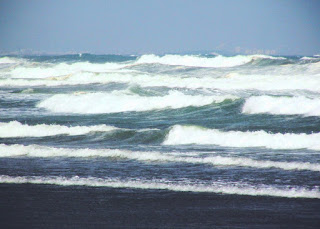
Before 1 After 1
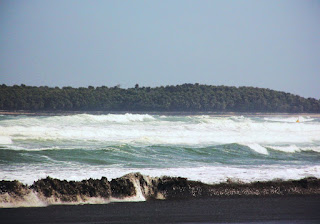 Before 2
 After 2
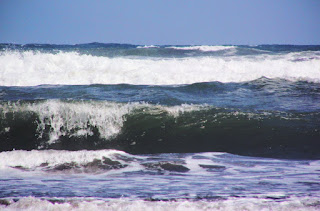 Before 3
 After 3
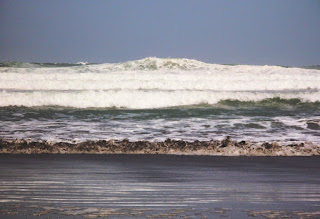 Before 4
 After 4